Home > Manuals > Media Players - IMC and MP > Settings on the MP and IMC > MP and IMC Menu Component Options
MP and IMC Menu Component Options
This menu controls what is displayed on the home menu of the MP and IMC. Use the remote to check off what items should be displayed on the home menu. For example, if just video is selected, the home menu of the MP and IMC will only show the movie library.
| Menu Component Options | ||
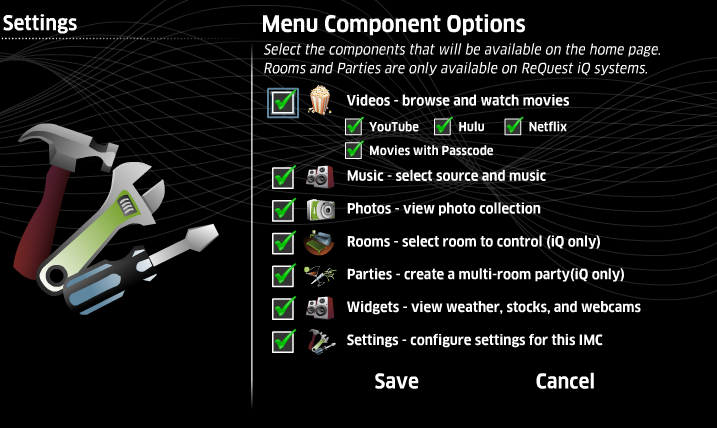 | ||
 | Music provides access to the music library. | |
 | Photos provides access to the the picture slideshow feature. | |
 | For iQ systems only, Rooms provides access to rooms configured in the iQ. | |
 | For iQ systems only, Parties allows multi-room parties to be created/accessed. | |
 | Widgets provide access to weather, stocks, and webcams. | |
 | The Settings menu can also be hidden. At any time, hitting the HOME button on the remote 5 times in rapid succession will access the Settings menu. | |
See also